
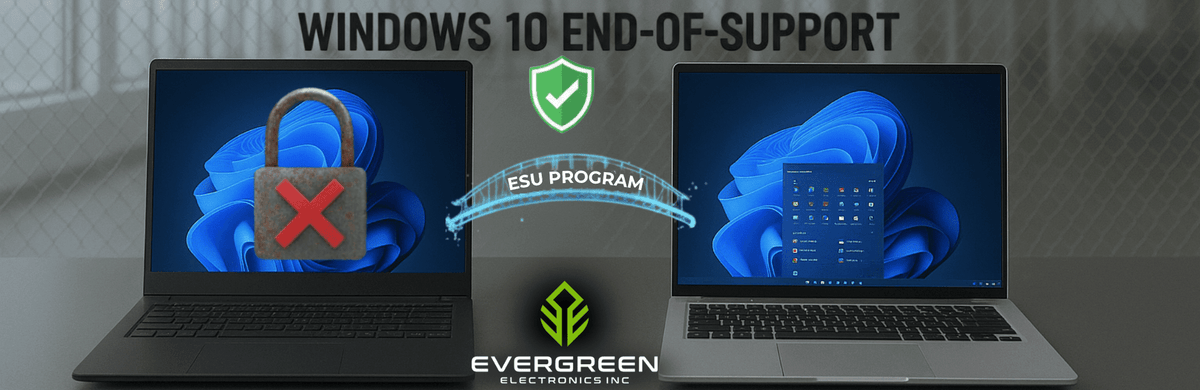
Windows 10 support ended on October 14, 2025. Businesses still running Windows 10 now have two practical options: enroll eligible devices in Microsoft’s Extended Security Updates (ESU) program for temporary security coverage, or move those devices to Windows 11.
ESU gives enrolled Windows 10 devices critical security updates for a defined, paid period after end of support. It gives businesses more time to complete a migration, but it does not restore full Windows 10 support or provide a permanent alternative to upgrading. For businesses with active Windows 10 fleets, the decision comes down to where paying for temporary coverage makes sense and where replacing aging hardware is the better long-term option.
What Changed When Support Actually Ended?
The biggest change after October 2025 is that unenrolled Windows 10 devices no longer receive Microsoft’s regular security and quality updates. The machines still work, but newly discovered vulnerabilities can remain unpatched. Across a business fleet, that exposure grows as more unsupported devices stay connected to the network.
Compatibility also becomes a growing concern. Software vendors generally build and test against currently supported operating systems, so Windows 10 may gradually lose compatibility with newer business applications, security tools, and peripherals. The longer a fleet remains on Windows 10, the greater the chance that individual devices fall behind both on security and software support.
The ESU Bridge, and Why It Is Not a Destination
ESU exists precisely for organizations that cannot upgrade every device on day one. For businesses, schools, and other commercial or educational organizations, Microsoft prices ESU at $61 per device for the first year, with the price doubling in each of the following two years, for a maximum coverage window of three years total, according to Microsoft's own ESU documentation. Enrollment is cumulative: an organization that skips Year One and enrolls in Year Two still has to pay for Year One first, since ESU years cannot be purchased out of order or as partial periods.
|
ESU Year |
Coverage Window |
Price per Device |
|---|---|---|
|
Year 1 |
Oct 2025 to Oct 2026 |
$61 |
|
Year 2 |
Oct 2026 to Oct 2027 |
$122 |
|
Year 3 |
Oct 2027 to Oct 2028 |
$244 |
Run the full three years on a single device, and the total comes to $427, which is a real budget that could just as easily go toward replacing that device outright. That is the core tradeoff: ESU is a legitimate way to buy time on a specific machine that cannot be replaced immediately, such as one tied to older line-of-business software, but it was never designed to be cheaper than upgrading, only more flexible about timing.
Consumers get a different, more generous deal: Microsoft has extended free and low-cost consumer ESU enrollment through October 12, 2027, either at no cost for devices syncing PC settings, for 1,000 Microsoft Rewards points, or for a one-time $30 payment, per Microsoft's consumer ESU program page. That consumer path does not apply to devices enrolled through a business's commercial licensing, but it is worth knowing if any personally owned devices touch the network.
Eligibility comes with conditions on the business side too. A device has to be running Windows 10 version 22H2 to qualify for commercial ESU enrollment at all, and Microsoft's own documentation sets the purchase minimum at a single license, so a small office does not need to license an entire fleet just to cover one machine still waiting on a specific piece of software. What ESU explicitly does not include is worth noting as well: no new features, no general technical support beyond the enrollment and activation process itself, and no design or non-security fixes. It buys time on the security side only, nothing more.
Counting the Real Cost of Waiting
It helps to run the numbers on an actual fleet rather than a single device. A 40-machine office paying for a full three years of ESU on every unit would spend $17,080 in licensing alone, money that adds no new hardware, no performance gain, and no resale value once the coverage period ends.
Put the same budget toward certified refurbished Windows 11 machines instead, and that office comes out the other side with hardware it can keep using well past 2028, not a fleet that is right back where it started once Year Three of ESU expires.
Why Upgrading Beats Paying for ESU Long-Term
Windows 11 was built with the current security and performance baseline in mind, not retrofitted onto an older one. It includes stronger built-in threat protection, better multitasking performance for hybrid and multi-application workflows, and ongoing compatibility with new business software as it ships, none of which an ESU-covered Windows 10 machine gains no matter how many years of updates it is enrolled for.
The financial case follows the same logic as the security case. Paying $427 per device over three years to keep an aging machine patched is money that buys no new capability, no performance improvement, and no path forward once Year Three ends. Put toward a certified refurbished Windows 11 machine instead, that same budget typically covers most or all of the replacement cost, while immediately removing the device from the group that needs ESU coverage at all.
Refurbished Windows 11 Hardware from Evergreen Electronics
Evergreen Electronics stocks certified refurbished, business-grade hardware that ships Windows 11 Pro ready to deploy, so a Windows 10 fleet replacement does not have to mean paying full retail per seat. Recommended models for a straightforward Windows 11 transition include:
-
Dell Latitude 5530 (12th Gen i7): a flexible laptop for hybrid or travel-heavy roles
-
Dell OptiPlex 7080 SFF (10th Gen i5): a compact desktop built for standard office workloads
-
Dell Precision 7560 (11th Gen i7, discrete graphics): for engineering, design, or other performance-heavy roles
Every device ships backed by a 1-2 year warranty on standard business purchases, extended to a 3-year warranty for qualifying educators, non-profits, and government agencies.
That coverage matters as much on a replacement fleet as it does on the machines it is replacing: read why a warranty on refurbished electronics matters before comparing prices across suppliers, and check certified against non-certified inventory before assuming every "refurbished" listing means the same level of testing.
Windows 10's support clock has already run out. Request a quote for certified refurbished Windows 11 hardware sized to your fleet, or call 512.715.4273 to talk through which models fit your current setup.
Frequently Asked Questions
Is Windows 10 still supported by Microsoft?
No, Windows 10 support ended on October 14, 2025. Devices outside the ESU program no longer receive Microsoft technical support, feature updates, or security patches.
What is the ESU program?
ESU is a paid program that provides critical and important security updates for eligible Windows 10 devices for up to three years after support ended.
How much does Windows 10 ESU cost?
Commercial ESU costs $61 per device in Year One, $122 in Year Two, and $244 in Year Three, totaling $427. Enrollment is cumulative.
Should my business use ESU or upgrade?
ESU suits devices that cannot be replaced immediately. For long-term use, upgrading to Windows 11 provides newer hardware, security, performance, and ongoing software compatibility.
Does Evergreen Electronics sell Windows 11-ready computers?
Yes, Evergreen Electronics sells certified refurbished Dell Latitude, OptiPlex, and Precision devices with Windows 11 Pro and a 1-2 year standard warranty.
Ready to upgrade or need help choosing the right system?
📧 Email: Sales@EvergreenElectronics.com
📞 Call: 512-715-4273
Our team is here to help you transition smoothly to Windows 11 with trusted, business-grade hardware that fits your needs and budget.