
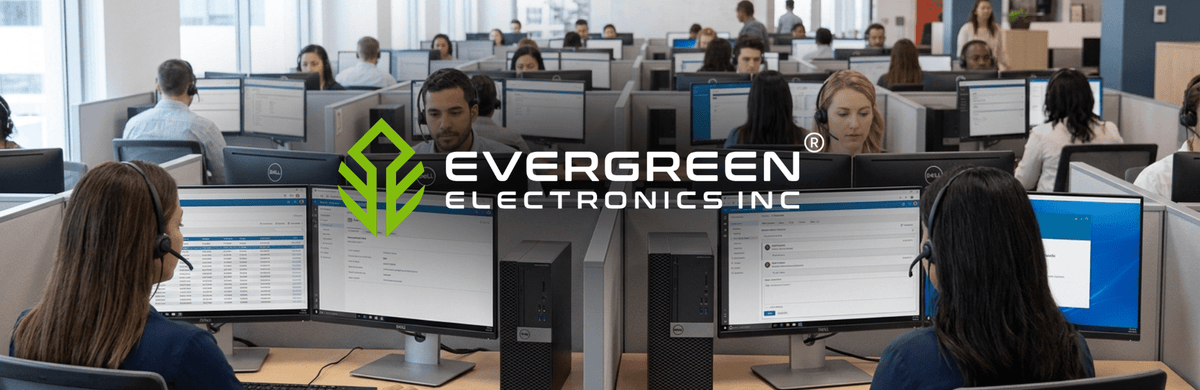
A general-purpose call center agent seat should be bought to this baseline: a current-generation four-core processor, 16 GB of RAM, Windows 11, current Chrome or Edge, an SSD, two 1080p displays, a wired enterprise USB headset, wired Ethernet, and at least 1 Mbps of symmetrical capacity reserved per active agent. The seat should also pass voice-quality thresholds before go-live and sit on power and connectivity that survive a local failure. The full checklist follows, with the reasoning behind every line, so IT can defend each number when finance asks why the cheaper configuration won't do.
What Does the Full Agent-Seat Spec Sheet Look Like?
Each line carries two values. The acceptance floor is the lowest configuration worth signing off on a test seat. The buying baseline is what to standardize a new fleet on.
|
Component |
Acceptance floor |
Buying baseline |
|---|---|---|
|
Processor |
64-bit, dual-core, 2 GHz or better |
Current-generation four-core Core i5 / Ryzen 5 class |
|
Memory |
8 GB |
16 GB; more for supervisors, recording, VDI |
|
Operating system |
Vendor-supported 64-bit OS |
Centrally managed Windows 11 Pro/Enterprise |
|
Browser |
Current vendor-supported Chromium browser |
Current stable Chrome, tested before mass rollout |
|
Storage |
Room for client, cache, security tools, updates |
Business SSD with a set free-space floor |
|
Displays |
One screen at the platform's minimum resolution |
Two 24-inch-class 1920 × 1080 screens |
|
Headset |
Dedicated headset with boom microphone |
Binaural, noise-canceling wired USB from the platform's supported list |
|
Network interface |
Stable link meeting media thresholds |
Gigabit Ethernet, Cat 5e or better; Wi-Fi as managed fallback |
|
Bandwidth |
100 Kbps each way per concurrent voice session |
1 Mbps symmetrical per active seat, plus recording overhead |
|
Round-trip latency |
Below 200 ms |
Below 100 ms |
|
Jitter |
Below 30 ms |
Below 10 ms |
|
Packet loss |
Below 1% |
0.5% or less |
|
Power |
UPS for workstation and local network gear |
UPS covering PC, displays, router, switch and ISP modem |
|
Continuity |
Documented way to restore calling |
Tested secondary path plus imaged spare devices |
Three kinds of numbers feed the sheet, and mixing them up is how a fleet ends up underspecified. A vendor minimum is the smallest configuration on which one client application is supported. A vendor recommendation is that platform's preferred configuration. A procurement baseline is a deliberately higher composite meant to run the whole agent workload and stay usable through the refresh cycle. The table's right-hand column is the third kind.
Why Do Platform Minimums Undersize the Agent PC?
Contact center platforms publish requirements for their own client, and nothing else on the desk. Amazon's Contact Control Panel requirements list 2 GB of RAM and a 2 GHz processor for workstations using the CCP only, and tell buyers to scope additional memory, bandwidth and CPU for the operating system and anything else running. An agent never runs only the CCP. The CRM, knowledge base, chat, recording agent, endpoint security and a stack of browser tabs all compete for the same resources.
Memory guidance across platforms converges on 16 GB once multitasking enters the picture:
-
Genesys Cloud lists 4 GB minimum and 8 GB recommended.
-
Talkdesk calls 8 GB its recommended minimum but warns it may not cover multitasking.
-
Five9 lists 8 GB minimum and 16 GB recommended, and warns that too little RAM with extra browser tabs can cause session disconnects.
-
Google's CCAI Platform requirements recommend at least 8 GB on Windows, preferably 16 GB.
Processor guidance is harder to compare because vendors publish unlike measures. Amazon gives a clock speed, Genesys a core count, Five9 a named chip (Core i5-4440 minimum, Core i7-4770 recommended), and Google "Core i5 or equivalent." No cross-platform benchmark score settles it, so a current-generation four-core i5 or Ryzen 5 class part is the practical buying line. Supervisors, seats recording multiple monitors, and VDI deployments need more than that. Genesys recommends exceeding its minimums for multiple-monitor recording, VDI and heavy third-party software.
Operating systems and browser lines are about supportability as much as speed. Windows 11 is the safest common Windows baseline now that Windows 10 support ended, and Genesys, Talkdesk and Webex all support current Chrome and Edge. Amazon's CCP hardware page points to a supported-browser list without a full workstation OS matrix, so confirm OS support with the vendor before standardizing an image. Keep browser updates centrally controlled and tested on a pilot group, so a release that misbehaves with the softphone reaches a few seats before the whole floor.
Storage has no universal contact center minimum: Genesys needs 400 MB to install its desktop app, which says little about what a full seat needs. Specify an SSD with a free-space floor your team defines, and keep customer data off the local drive.
How Many Displays Should Each Agent Get, and at What Resolution?
Platform display minimums are low. Genesys publishes 1024 × 768 generally and 1366 × 768 for workforce management screens, and Webex recommends 100% browser zoom for Agent Desktop. Buy 1920 × 1080 per display, then test every CRM panel, softphone and WFM view at 100% zoom before signing off the image.
The case for a second screen is real but narrower than marketing suggests. Agents who must keep interaction controls visible while consulting a CRM, order system or policy document benefit most. A systematic review of 18 studies found strong evidence that users prefer multiple monitors and moderate lab evidence of efficiency gains, while flagging possible neck strain. The widely quoted 18% efficiency figure comes from a 2015 Wichita State study of 24 participants, distributed by Dell. Treat it as supporting evidence from a small sample, and budget for the second screen without assuming a set productivity gain.
No platform requires a specific screen size, but 24-inch monitors offer enough space for CRM dashboards and call controls. Matched refurbished call center monitors also help maintain consistent screen sizes and workstation setups across agent seats.
Placement matters as much as the panels:
-
Put the most-used display directly in front of the agent, with the second immediately beside it, or center the pair when use is evenly split.
-
Keep the top of each screen at or below eye level, roughly 20 to 40 inches from the eyes.
-
Provide adjustable stands or arms and enough desk depth.
Which Headset Connection Should Be the Agent-Seat Default?
Wired USB is the safest default. Amazon recommends USB headsets, and Google recommends wired, binaural, noise-canceling USB headsets. The microphone matters more than the earcups: a noise-canceling microphone protects what the customer hears, while binaural audio helps the agent tune out the floor.
|
Connection |
Fits |
Assessment |
|---|---|---|
|
Wired USB |
Fixed and remote agent seats |
Default choice; confirm the model against the platform's list |
|
Wired 3.5 mm analog |
Validated PC and platform combinations |
Talkdesk advises against analog because it cannot support hardware call controls; test before standardizing |
|
Wireless with USB dongle or DECT base |
Supervisors and roaming roles |
Acceptable when the exact model, dongle and firmware are supported on your platform and batteries are managed |
|
Direct consumer Bluetooth |
Backup only |
Battery, interference and latency issues; Genesys notes call controls may not work |
Certification is platform-specific. Microsoft, Zoom, Webex and Genesys each test or publish supported devices differently, so a headset certified for one platform is not automatically supported on another.
What Network Numbers Should Each Seat Pass Before Go-Live?
Size voice capacity on concurrent calls instead of licensed seats: peak concurrent calls × per-call allowance × engineering headroom. Per-call allowances vary by platform. Amazon lists 54 Kbps up and down for a one-to-one audio call, Google recommends 100 Kbps each way per agent. Webex says each audio stream uses about 70 to 80 Kbps but should be provisioned at 100 Kbps, or 200 Kbps where an internal call carries two streams.
Those figures are a media floor. Talkdesk's planning rule of 1 Mbps symmetrical per device is a better starting point for access capacity, before adding CRM, recording, updates and non-agent traffic. Screen recording adds at least 500 Kbps per agent on Talkdesk's figures, and can reach about 2 Mbps more with large or multiple high-resolution displays.
Quality thresholds decide whether a seat is accepted:
|
Metric |
Acceptance ceiling |
Design target |
|---|---|---|
|
Round-trip latency |
Below 200 ms (Talkdesk, Google) |
Below 100 ms (Talkdesk; Microsoft client-to-edge) |
|
Jitter |
Below 30 ms (Talkdesk) |
Below 10 ms (Talkdesk, Webex) |
|
Packet loss |
Below 1% (Microsoft) |
0.5% or less (Webex) |
|
MOS |
Above 4.2 (Talkdesk) |
Above 4.3 (Talkdesk) |
To bring a seat into service:
-
Connect production voice seats over wired Ethernet.
-
Designate Wi-Fi, where unavoidable, as a fallback on 5 GHz Wi-Fi 5 or newer with controlled client density.
-
Schedule large downloads, backups and software distribution outside active calling hours.
-
Route WebRTC media outside a distant VPN where the platform supports approved split tunneling.
-
Test latency, jitter and loss from the actual agent device, network segment and location during working hours.
Step 5 matters because conditions at the agent's own desk, network segment and ISP can differ sharply from a test run in the IT office.
Evergreen's 30-day demo program ships systems both ways free, which lets a team load its own softphone, CRM and recording stack on a candidate model before committing a fleet.
How Do Remote Agents and Payment Handling Change the Spec?
Remote seats carry the same platform, audio and network requirements as office seats, plus security controls that are easier to enforce on hardware the company owns. NIST's telework security guidance notes that an organization may permit high-risk telework only from organization-issued, secured devices using multi-factor authentication and storage encryption. Company-issued machines also allow uniform patching, browser control, USB policy and remote support. Fleets configured through Intune and Autopilot can arrive with those policies already applied.
Approve a home seat only when it meets these checks:
 Supported computer, OS, browser, headset and dock
Ethernet to the home router wherever practical
Measured latency, jitter, loss and throughput during working hours
WPA2 or WPA3 home Wi-Fi where wireless is permitted
MFA and the approved remote-access method
Full-disk encryption, endpoint protection, automatic patching, session lock and limited local rights
A private workspace where customer or payment data is visible
Backup connectivity and a power-outage procedure
No family or shared-account use of the work device
Payment handling adds PCI DSS scope. PCI DSS v4.0.1, published June 11, 2024, applies to entities that store, process or transmit cardholder data and to systems that can affect that environment. The PCI SSC's 2018 telephone payment guidance is a supplement, not a replacement for the standard, but it translates the duties to agent seats:
|
Area |
What the guidance asks of each seat |
|---|---|
|
Remote access |
MFA when remote agents connect to telephone or payment systems |
|
Hardware |
Company-approved phones, handsets, laptops and desktops only |
|
Local and removable storage |
No unauthorized copying or storing of account data |
|
Recordings |
Restricted access; sensitive authentication data never retained after authorization, even encrypted |
|
Screen display |
PAN masked unless a user has a business need to see it |
|
Physical space |
Monitored, access-controlled agent environment at home or office |
Two common assumptions overreach. The guidance prohibits unauthorized storage on removable media but does not literally require disabling every USB port; endpoint lockdown is one way to enforce the outcome. Privacy filters are a reasonable control for exposed layouts, yet no PCI DSS v4.0.1 source makes one mandatory on every monitor. Compliance comes from scoping and assessing the full payment workflow, which no single device control settles.
Which Spec Decisions Cause Trouble After Rollout?
With the spec built, four shortcuts account for the tickets that arrive after go-live:
-
Signing off a pilot seat with recording switched off: Screen recording adds CPU, memory and network load, so run it during acceptance alongside the CRM, browser tabs, monitoring and security tools.
-
Accepting a seat because the platform rated its calls "good": Webex troubleshooting labels a call good below 5% loss, 400 ms round trip and 150 ms jitter, far looser than its own design guidance. Accept seats against the design targets above.
-
Keeping 8 GB machines on the desks of heavy multitaskers: Five9 warns that too little RAM alongside extra browser tabs can disconnect sessions, so move those users to 16 GB first.
-
Allowing personal Bluetooth headsets as a stopgap: Lost call controls, battery drain and interference turn into avoidable support incidents; issue supported wired or dongle-based models instead.
What Keeps Agents Talking When Power or Connectivity Fails?
A call survives a power cut only if every device in its path stays up, so UPS coverage should include the workstation, display, dock, network switch, router and ISP modem. Protecting only the PC leaves the agent unable to work if the network goes down. A small UPS can provide enough backup power to finish or transfer calls, while longer outages need a separate power strategy. Size the required backup runtime based on local outage history, shutdown needs and generator availability, then test it under actual workstation load.
Connectivity needs the same thinking. NIST calls for alternate telecommunications services and for reducing single points of failure shared with the primary service, so a backup line through the same conduit or provider adds little. Confirm the backup path still meets the latency, jitter, loss and firewall requirements above, and exercise failover on a schedule.
Spares close the gap when a device fails mid-shift. No vendor or standards body sets a universal spare percentage, so size the pool from seat count, observed failure rates, repair and shipping time, and your recovery-time objective. Standardized hardware makes spares interchangeable, and imaged, patched, charged units let a supervisor swap a seat in minutes.
Warranty terms differ by category at Evergreen: desktops carry a 2-year limited hardware warranty, laptops 1 year, and monitors and peripherals 90 days, which is worth factoring into how deep each part of the spare pool runs. Evergreen's call center partner program supplies matched desktops and laptops with custom configurations, so the spare shelf mirrors the production floor.
Equip your call center with reliable hardware that meets your platform requirements and supports everyday agent workloads. Request a Quote from Evergreen Electronics to find the right desktops, monitors and headsets for your team.
Frequently Asked Questions
Can thin clients or VDI replace full agent PCs?
Thin clients and VDI can work for agent seats, but sizing them takes testing. Genesys, Amazon, Talkdesk and Webex each describe VDI limitations or optimization requirements, and final CPU, RAM, media-redirection and host-density figures depend on load testing with both the platform and the VDI vendor. Plan a pilot before committing the fleet.
Do supervisors need a higher spec than agents?
Supervisor seats usually need more resources than agent seats. Five9 notes supervisors may require more than its agent figures, and Genesys recommends exceeding its minimums where users run multiple contextual panels or record multiple monitors. Test the supervisor image separately and size memory above the 16 GB agent baseline when that test shows contention.
How fast does a home agent's internet plan need to be?
No single download or upload package guarantees voice quality at home. Concurrent household traffic, Wi-Fi conditions, routing, latency, jitter and packet loss decide call quality more than the advertised speed. Measure those metrics on the agent's own connection during working hours before approving the seat.
What if a platform publishes no CPU or RAM requirement?
Some platforms publish only part of the picture. Webex Contact Center's Desktop requirements, for example, list 4 GB of RAM minimum and 8 GB recommended but no CPU requirement. Generic figures for a related product, such as the Webex App, should not be substituted for a contact center deployment. Ask the vendor in writing and validate on a pilot seat.
Still have questions about equipping your call center? Contact Us or Request a quote today to speak with an Evergreen Electronics® specialist.